
Articles Blocks for Astro
Astro article listings for posts, notes, and editorial collections.
Featured grid
Give one story more space while keeping related stories in the same collection.
The Morrow reading room
Practical stories about keeping notes, planning a week, and preparing work for other people.

Planning
A weekly review that starts with open questions
Begin with the details that block progress, then give each follow-up task an owner.

Leila Moreno
September 14, 2026
Working notes
Keep a decision log that people can use
Record the choice and its reason so a teammate can understand what changed.

Owen Patel
September 9, 2026
Editorial
What an editor needs before a first draft
Prepare the audience, question, and sources before writing the opening paragraph.

Nadia Chen
August 26, 2026
bunx --bun shadcn@latest add @gnostic/articles-1npx shadcn@latest add @gnostic/articles-1pnpm dlx shadcn@latest add @gnostic/articles-1Featured sidebar
Place the lead story beside a smaller set of related articles.
A closer look at working habits
Read the lead story, then explore shorter notes from the Morrow editors.
A weekly review that starts with open questions
Begin with the details that block progress, then give each follow-up task an owner.

Leila Moreno
September 14, 2026
Working notes
Keep a decision log that people can use
Record the choice and its reason so a teammate can understand what changed.

Owen Patel
September 9, 2026
Editorial
What an editor needs before a first draft
Prepare the audience, question, and sources before writing the opening paragraph.

Nadia Chen
August 26, 2026
Daily practice
A small notebook for a busy working day
Use a few simple headings to keep tasks apart from ideas and observations.

Ellis Brooks
August 18, 2026
bunx --bun shadcn@latest add @gnostic/articles-2npx shadcn@latest add @gnostic/articles-2pnpm dlx shadcn@latest add @gnostic/articles-2Rows
Use rows when readers need to compare several article summaries.
Notes for the next working week
Planning
A weekly review that starts with open questions
Begin with the details that block progress, then give each follow-up task an owner.

Leila Moreno
September 14, 2026
Working notes
Keep a decision log that people can use
Record the choice and its reason so a teammate can understand what changed.

Owen Patel
September 9, 2026
Editorial
What an editor needs before a first draft
Prepare the audience, question, and sources before writing the opening paragraph.
Nadia Chen
August 26, 2026
Daily practice
A small notebook for a busy working day
Use a few simple headings to keep tasks apart from ideas and observations.
Ellis Brooks
August 18, 2026
bunx --bun shadcn@latest add @gnostic/articles-3npx shadcn@latest add @gnostic/articles-3pnpm dlx shadcn@latest add @gnostic/articles-3Text grid
Use text cards when the titles and summaries carry the collection.
Short reads for a clearer plan
Browse the latest planning guides and editorial notes from our fictional reading room.
Planning
A weekly review that starts with open questions
Begin with the details that block progress, then give each follow-up task an owner.
Leila Moreno
September 14, 2026
Working notes
Keep a decision log that people can use
Record the choice and its reason so a teammate can understand what changed.
Owen Patel
September 9, 2026
Editorial
What an editor needs before a first draft
Prepare the audience, question, and sources before writing the opening paragraph.
Nadia Chen
August 26, 2026
Daily practice
A small notebook for a busy working day
Use a few simple headings to keep tasks apart from ideas and observations.
Ellis Brooks
August 18, 2026
Planning
Make a useful brief for the next issue
Set out the reader question, required checks, and planned publication date.
Samira Bell
August 7, 2026
Working notes
How to close a project with clear notes
Leave a short record of the result and the work that remains for the next team.
Tomas Ivers
July 22, 2026
bunx --bun shadcn@latest add @gnostic/articles-4npx shadcn@latest add @gnostic/articles-4pnpm dlx shadcn@latest add @gnostic/articles-4Editorial blog
Use this section for the blog part of a studio site.
Field notes
A closer look

A project is more than a gallery
Five useful details that help people understand a space, beyond the finished photographs.
A material-led identity
How texture, proportion, and a limited palette can give a studio a clear visual voice.

Photography with room to breathe
A practical way to sequence images so that a visitor can move through the work.

The case for a small website
Why a focused set of pages can do more for a practice than a crowded digital archive.
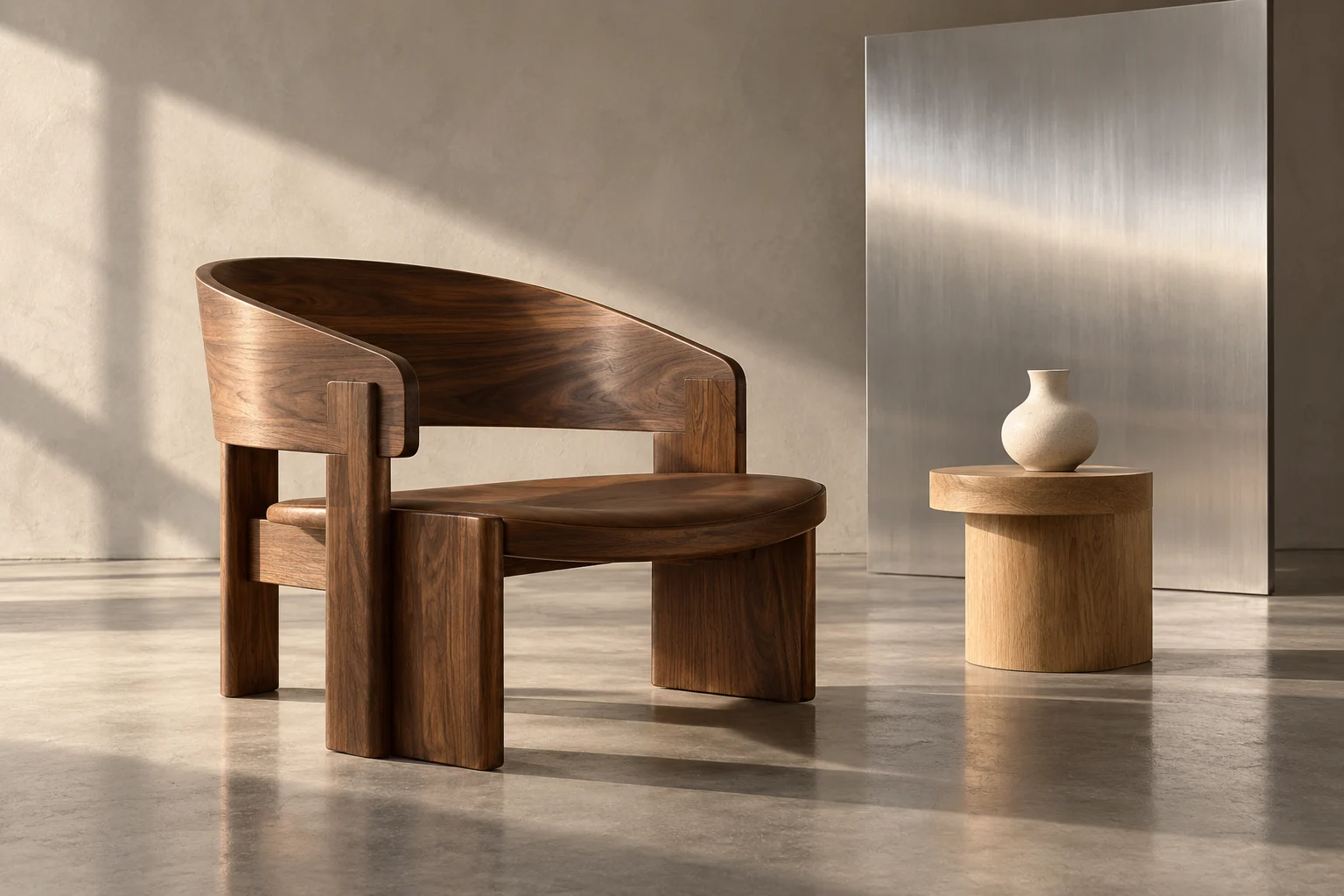
Writing about objects
Make dimensions, materials, and making part of a clear product story.
bunx --bun shadcn@latest add @gnostic/blog-agencynpx shadcn@latest add @gnostic/blog-agencypnpm dlx shadcn@latest add @gnostic/blog-agencylabelstring
Small section label.
stringtitlestring
Main heading text.
stringaccent?string
Optional italic heading text.
stringdescription?string
Supporting copy.
stringclass?string
Classes for the root element.
stringarticles{
title: string
description: string
href: string
date: string
image: AgencyImage
}[]
Articles with ISO dates.
{
        title: string
        description: string
        href: string
        date: string
        image: AgencyImage
}[]See serif accent font setup when installing this section.
Journal grid
Supply your own content. The section uses the selected project preset.

Give your AI agent one job, and a clear stopping point.

The hand-off is often where the time goes.

Make your first AI rollout a team exercise.

Turn an enquiry into a brief your team can use.

Put approval where a mistake would matter.

Measure the work you remove, not the runs you add.
bunx --bun shadcn@latest add @gnostic/content-journal-gridnpx shadcn@latest add @gnostic/content-journal-gridpnpm dlx shadcn@latest add @gnostic/content-journal-gridcontentJournalGridContent
Section content.
JournalGridContentclass?string
Classes added to the root.
stringChoose a articles layout
Choose a list or grid based on how many articles a reader must compare. Use consistent categories and dates so each card supplies the same kind of information.
Pass content from Astro
Pass an articles array with the fields required by the selected variant. The first variant includes title, description, category, optional href, image, and author data. Sort and paginate in the route or data layer before passing the array.
Responsive layout and images
Check mixed title lengths and missing author images at narrow widths. Use deliberate thumbnail crops and avoid downloading full-size lead images for every card. A responsive grid changes the layout; it does not fetch additional pages.
Compose the next section
Pair the listing with an Article detail page and Pagination when the route has several pages of results.